
Using OpenAlex with an AI assistant
You don’t need to learn our query language or the API to get answers out of OpenAlex. An AI assistant like Claude or ChatGPT can do the querying for you: you ask in plain language, it works out what to look up, runs the searches, and shows you the results with links. This page walks through the two ways to set that up. Neither one costs anything, and the first needs nothing installed at all.
The easiest way: paste your API key and ask
Every major assistant already knows how to use OpenAlex, and this help site is written so that assistants can read it. All they need is a key so their searches count against your free daily budget instead of the shared anonymous one.
- Sign in at openalex.org (a free account takes a minute; the login link arrives by email).
- Open Settings → API key and copy the key.
- Start a chat and paste it in with your question, like this:
My OpenAlex API key is
xxxxxxxx. Using the OpenAlex API (the docs are at help.openalex.org), find the 25 most-cited papers about microplastics in drinking water since 2022 and list them with title, year, journal, citation count and DOI.
That’s it. This works in Claude, ChatGPT, Gemini, Copilot, and any assistant that can fetch web pages. The assistant reads the documentation when it’s unsure, calls the API, and answers. If it stalls, saying “check help.openalex.org” usually gets it going again. If a key ever leaks, rotate it in Settings → API key and the old one stops working immediately.
The free account includes $1 of API usage a day, which covers hundreds of searches; see Example costs.
The smoother way: the OpenAlex connector
The connector is the same idea with the rough edges filed off. You sign in once instead of pasting a key, the assistant gets a set of purpose-built OpenAlex tools instead of working from the raw API, and every answer comes back with the exact query it ran so you can rerun or cite it. It also lets you fix your own author profile in conversation. And once it’s set up on the web it works in the desktop and phone apps too.
It works in Claude today, on every plan including the free one. ChatGPT is below.
Add OpenAlex to Claude
Do this once, on the web at claude.ai; it takes about two minutes.
1. Open the connectors page. Click Customize in the left sidebar, then the Connectors tab. Click Add at the top right and choose Add custom connector.

2. Fill in the two boxes. Name it OpenAlex, and paste this as the address:
https://mcp.openalex.org/mcp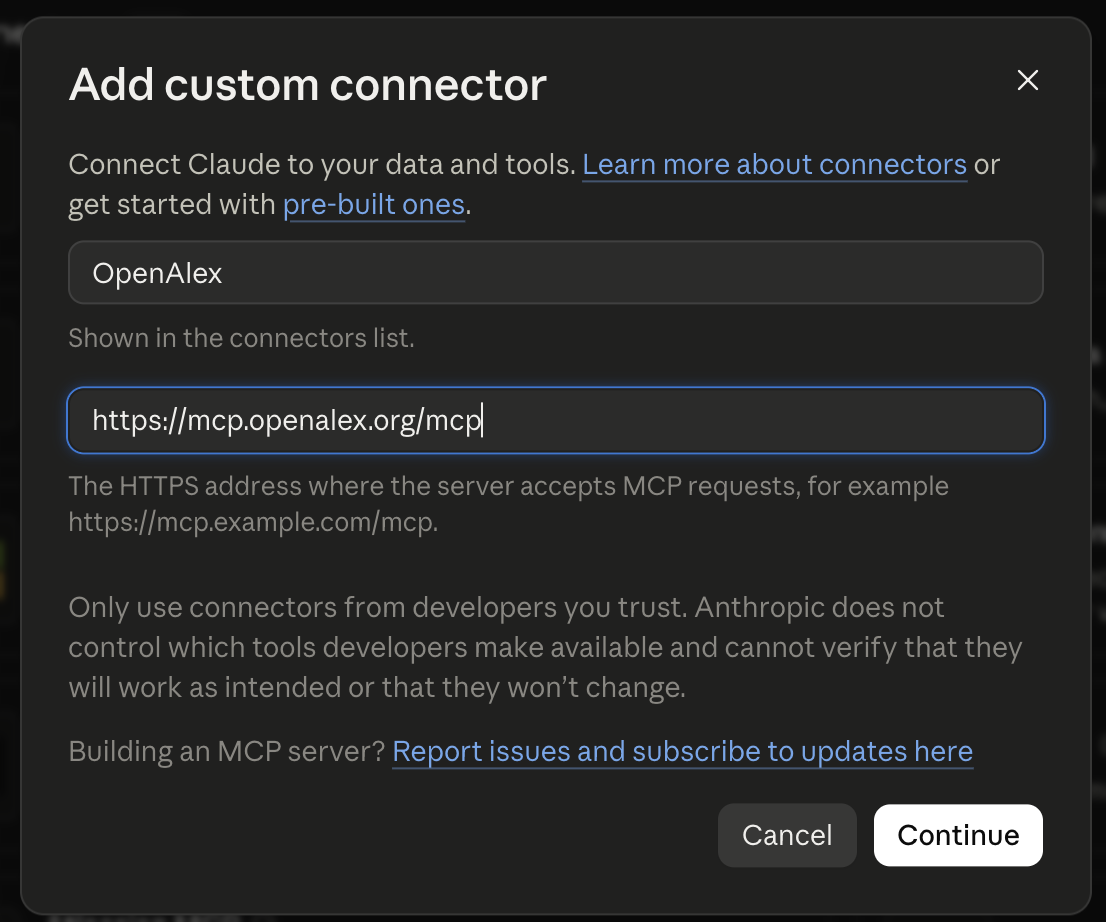
Click Continue. Claude checks the address, reports that it requires signing in, and offers an Add button. Click it.
3. Sign in to OpenAlex. A page opens at openalex.org headed Connect to OpenAlex. If you aren’t signed in yet, enter your email address; OpenAlex sends you a login link (there’s no password), and if you don’t have an account it creates one. Then click Allow. You’re sent back to Claude, where OpenAlex now appears under Yours with a check mark.
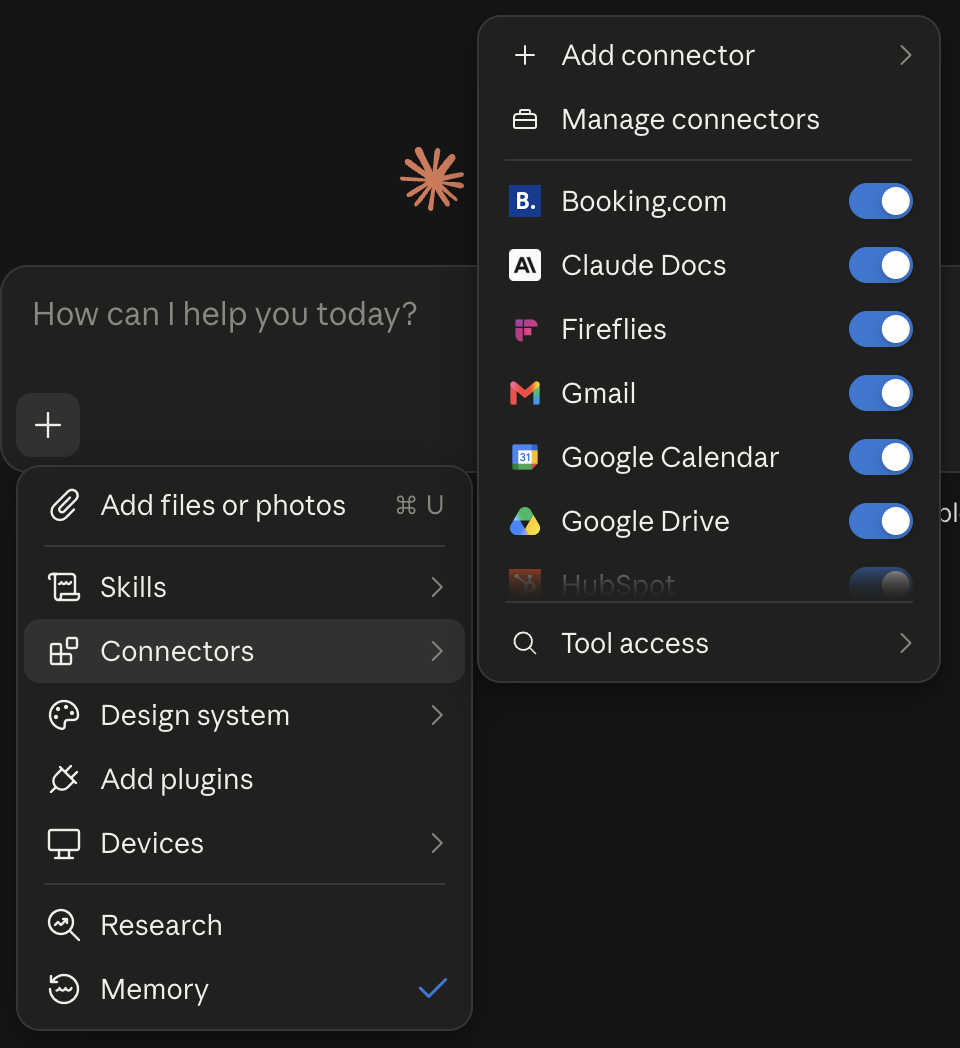
4. Use it in a chat. Start a new chat, click the + button in the message box, open Connectors, and make sure the OpenAlex switch is on. From then on Claude uses OpenAlex whenever a question calls for it.
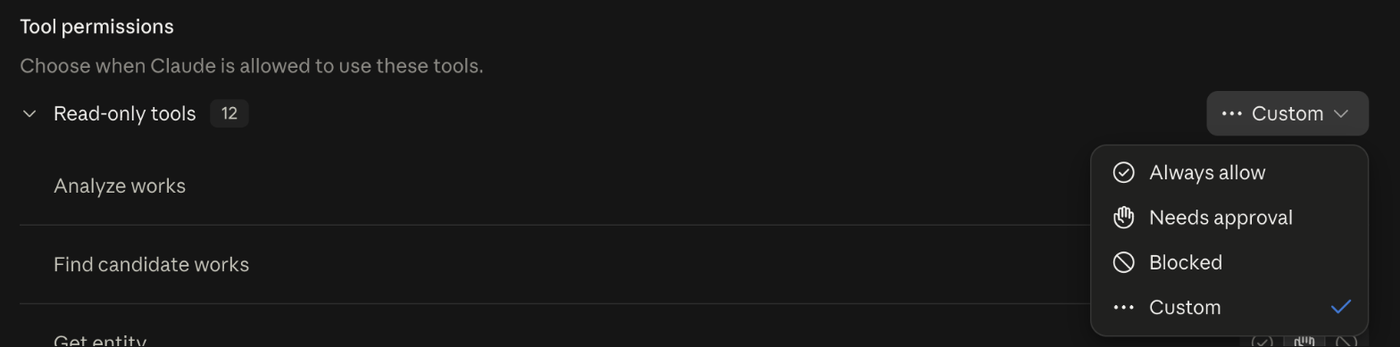
5. Stop it asking permission every time. Claude asks before each tool the first time it uses one, which gets tiresome. Go back to Customize → Connectors, click OpenAlex, and next to Read-only tools choose Always allow. The two tools that can change your author profile keep asking, which is what you want.
A few things to know:
- On a work or school Team plan, only an organization owner can add connectors, under Organization settings → Connectors. Send them this page.
- On the Free plan, Claude allows one custom connector, so if you already have one you’ll need to remove it first.
- Desktop and phone apps pick the connector up automatically once it’s added on the web.
- Once OpenAlex is listed in Claude’s connectors directory, adding it is a single click under Customize → Connectors → Discover instead of steps 1 and 2. We’ve applied.
Try it
The connector is at its best on questions that would take real work to turn into a search by hand. Try this one:
Build me a systematic search in OpenAlex for original research since 2018 on vaping or e-cigarette use among adolescents and young adults, leaving out reviews, editorials and retracted papers. Show me how many papers match, a few examples, and the exact query so I can rerun it later.
Claude turns that into a query in OQL, OpenAlex’s query language, previews the count and a sample, tightens it, and hands you the finished query. That query is yours: paste it into the OQL tab at openalex.org to see and export the full results, put it in a methods section, or refine it by hand.
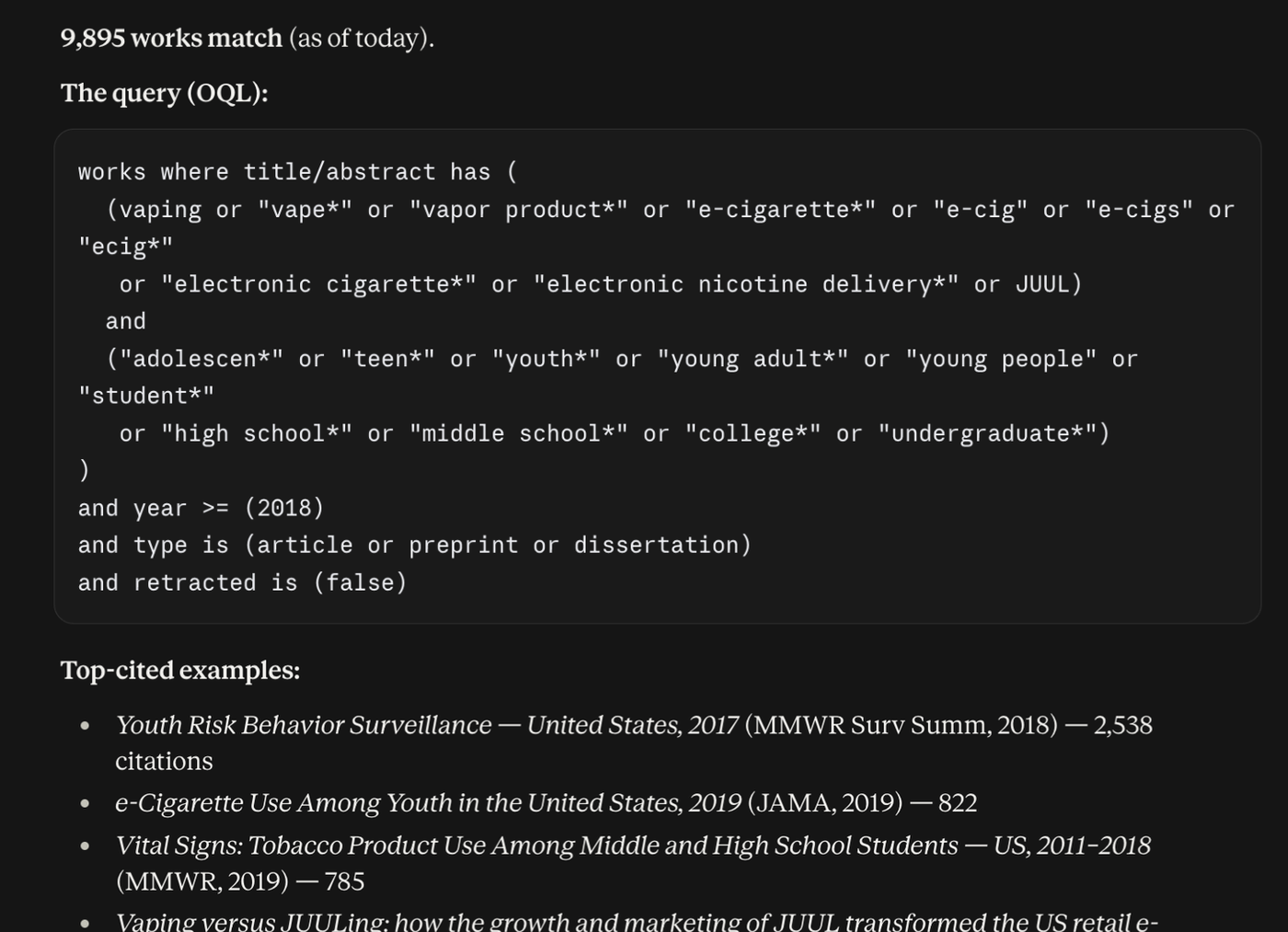
Whenever an answer looks off, ask “what query did you run?” Every answer carries it. More ideas for what to ask are on the connector reference.
ChatGPT
OpenAlex isn’t in ChatGPT’s app directory yet; we’ve applied. In the meantime the API-key method above works well in ChatGPT.
If you’re comfortable with developer settings and are on a Plus, Pro, Business or Enterprise plan, ChatGPT’s Developer mode can connect to the same address as Claude (https://mcp.openalex.org/mcp, with sign-in). OpenAI labels the mode “elevated risk” and it has to be chosen from the + menu in each chat, so we don’t recommend it as the everyday route. We’ll replace this section with real steps when the listing is live.
What it costs
Nothing beyond your OpenAlex account, which is free. Both methods run on your account’s own daily API budget: $1 of usage a day free, which is plenty for ordinary use. When it runs low the connector says so in its answers; when it runs out, single-record lookups keep working and everything else resumes at midnight UTC, or right away if you add prepaid usage or a plan. Claude and ChatGPT charge you for their own service as usual, not for OpenAlex.
Fixing your own author profile
With the connector, say “make my OpenAlex author profile accurate” and attach your CV. Claude claims your profile if you haven’t, finds the papers that are yours but missing, spots the ones that aren’t yours, checks with you, and submits the corrections. The walkthrough is Fix your profile with Claude.
When something goes wrong
- Claude says it can’t reach your OpenAlex account. Under Customize → Connectors, remove OpenAlex and add it again.
- Claude asks you to sign in again. Your session expired or you changed your API key. Sign in when prompted; nothing else changes.
- The answer says your budget is used up. Wait for midnight UTC, or add usage.
More cases, the full list of tools, and what the connector can’t do are on the connector reference.
Last updated
View as Markdown